Wake up, right on time.

Fall asleep on the bus. Lose track on the train. RouteWake watches the distance to your stop and wakes you before you get there — so you can stop checking the window every five minutes.

Get it on Google Play Free on Android. No account needed.
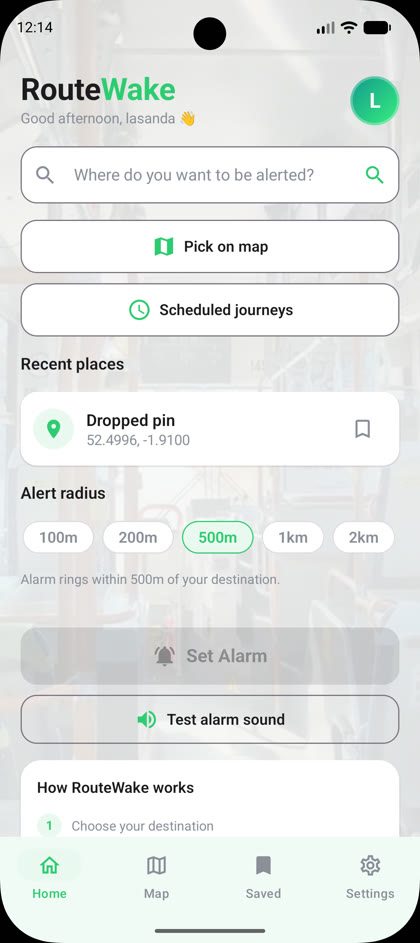
The RouteWake home screen on an Android phone

Built for the journey you already make

Set a destination, choose how early you want waking, and put your phone away.

Any destination

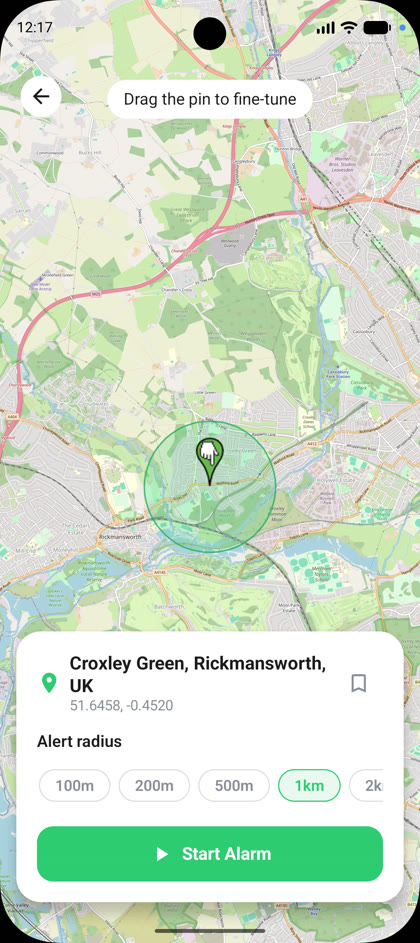
Search for a place or drop a pin on the map, then drag it until it sits exactly where you want.

Scheduled journeys

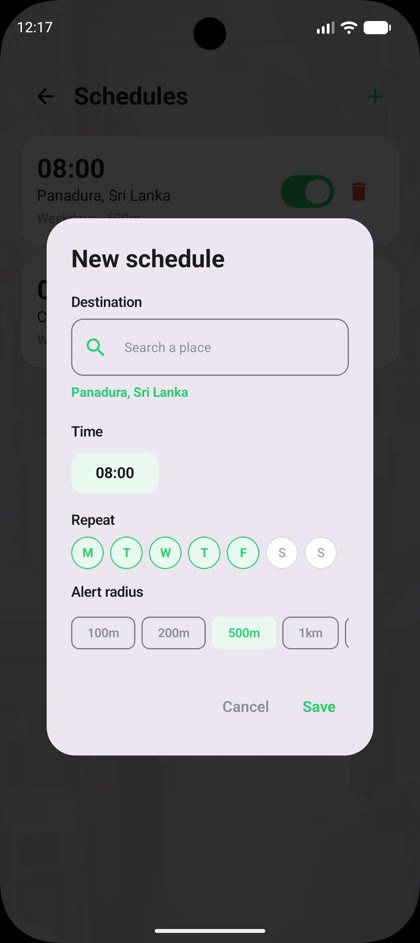
Travelling the same route every weekday? Set it once and RouteWake reminds you to start tracking.

Your alert radius

From 100 metres to two kilometres. Wake right at the door, or early enough to gather your things.

An alarm you'll notice

Sound, vibration and an escalating alert if you sleep through the first one.

Keeps running

Works with the screen locked and the app in your pocket, where a destination alarm actually needs to work.

Stays on your phone

No account, no sign-up. Your destinations and saved places are stored on your device, not on a server.
A look inside

Three screens, and you're tracking.

RouteWake home screen with search and alert radius

Search a destination and pick how close you want waking.

RouteWake map screen with a dropped pin and alert circle

Drop a pin, drag it, and see your alert radius on the map.

RouteWake scheduled journeys screen

Save the commute you make every day and set it once.

How it works

No setup, no account, nothing to learn.

1

Choose your destination

Type a place name and pick from the suggestions, or tap the map.

2

Set your alert radius

Decide how far out you want the alarm — 100 m to 2 km.

3

Start the alarm and relax

RouteWake tracks the distance in the background and wakes you before you arrive.

Stop watching the window.

RouteWake is free on Google Play.

Get it on Google Play